Slack app
Synapse for Slack
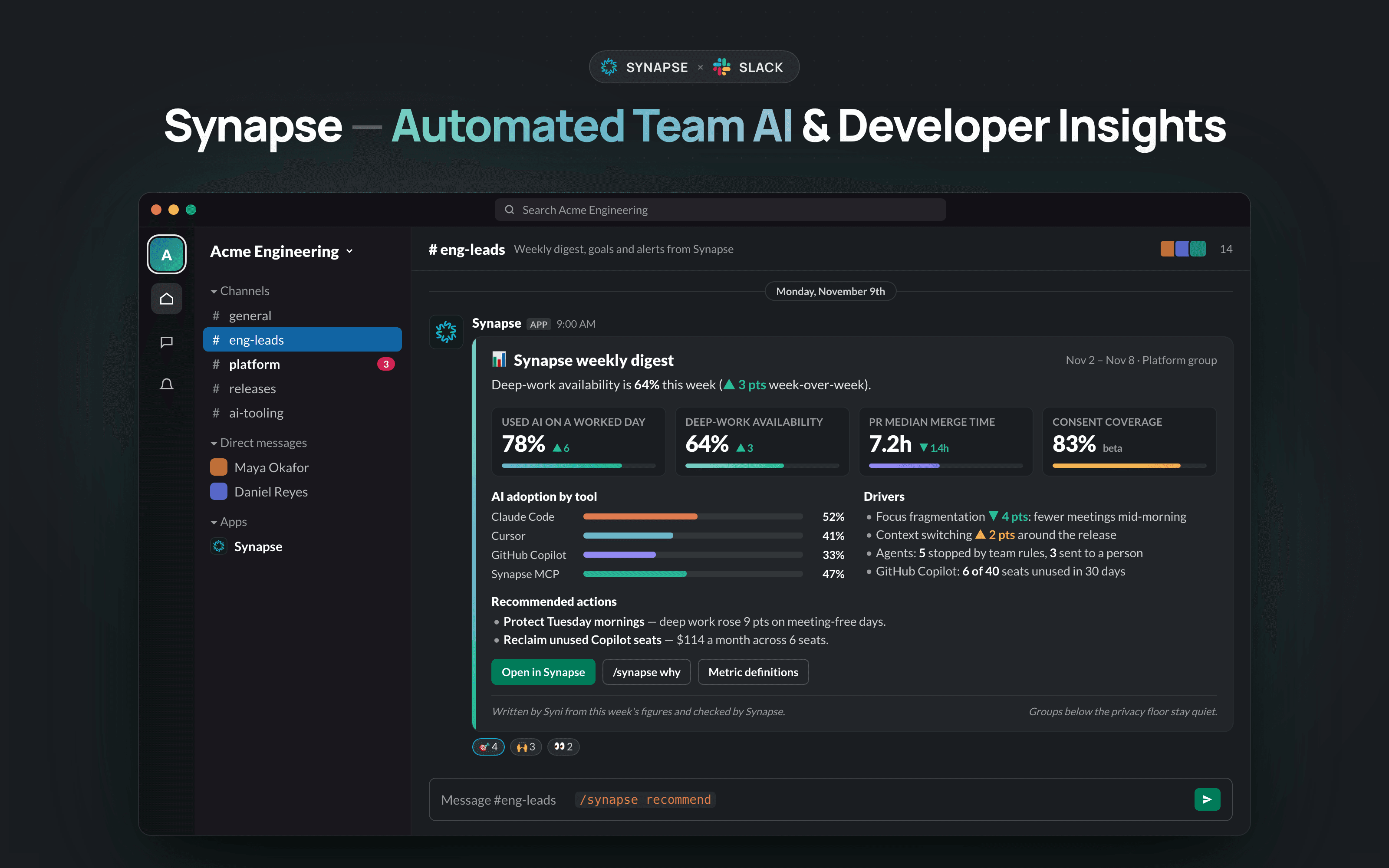
A weekly digest of your team’s AI adoption and developer insights, goal alerts when a line is crossed, and /synapse commands, right where your leads already talk.
 Add to Slack
Opens Slack to choose your workspace and review permissions.
Install
Three steps, all from Synapse.
Slack is connected per organization, so the install starts from a signed-in Synapse admin.
- 01Sign in to SynapseUse your organization’s Synapse account, or create one. Installing needs a Synapse admin.
- 02Open Connectors and choose SlackSelect Add to Slack. Slack shows the workspace and every permission Synapse asks for before anything is installed.
- 03Approve, then pick channelsChoose where the weekly digest and goal alerts are posted, and which public channels, if any, become team memory.
Commands
Ask Synapse in any channel.
- /synapse digest
- The full weekly digest
- /synapse why
- What moved this week
- /synapse recommend
- Top recommended actions
- /synapse aei
- AI adoption, delivery and human state, each in its own unit
- /synapse ask <question>
- Search your organization’s memory
- /synapse remember as adr: <decision>
- Save a decision for people and agents
Team figures answer only Synapse leads and admins who have linked their Slack account. Groups below the privacy floor stay quiet and say so.
Permissions
What Synapse asks Slack for.
- commands
- Adds the /synapse command.
- chat:write
- Posts the weekly digest, goal alerts and command replies.
- channels:read, groups:read
- Lists channels so an admin can pick where Synapse posts.
- channels:history, groups:history
- Reads message IDs, authors and times, and text only from public channels an admin chooses as team memory.
- users:read
- Shows names instead of user IDs in team-memory results.
Synapse never reads direct messages, attachments or private and shared channel text. Full detail in the privacy policy and privacy & trust.
Supporthi@synheart.ai
Security reportssecurity@synheart.ai
UninstallDisconnect Slack in Synapse Connectors, or remove the app from your Slack workspace settings.